
👁️
Viewer Count
Show real-time viewer count on stream · Free to use
Free download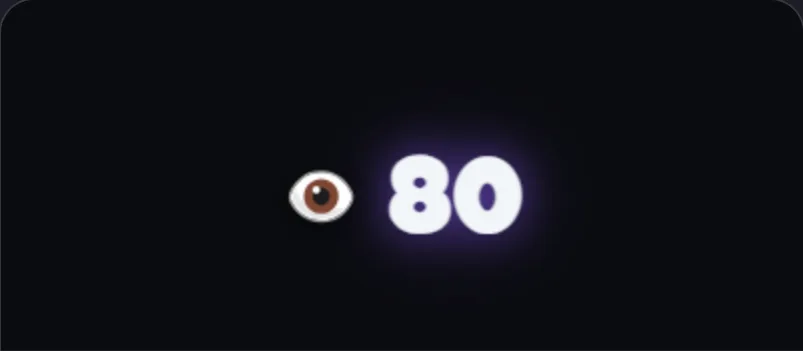
Show real-time viewer count on stream
Captured from the live preview in the program — on your LIVE the background is transparent, so it sits on top of your stream.
How to use it
- Open Tik To Earn and go to “Special overlays”
- Find the “Viewer Count” card — press ⚙️ to change how it looks and behaves
- Press “Copy” to copy the overlay URL
- In TikTok LIVE Studio or OBS, add a Browser Source and paste the URL
Other related programs
⭐
Special overlays
All our special themed overlays and fun effects. Pick one you like and click for details and how to use it.
🪙
Goal Bar (Coins)
Coin goal, with an action that runs when the goal is reached
🐟
Aquarium
Incoming gifts turn into cute sea creatures swimming in an on-screen tank; the more gifts, the livelier the tank
🐱
Gift Buddy
A cute 3D buddy pulls out each gift · screens show sender and gift · gifts pile up · PRO members
🫙
Gift Jar
Collect gifts in a jar with physics · Free to use
❤️
Goal Bar (Like)
Like progress bar — auto x2 on complete · Free to use
🔮
Unlock Next Goal (Energy Dome)
Gifts float inside the dome; hit the goal to unlock the next tier · PRO members
🎁
Special Gift
Highlight special gift alerts · Free to use
🥇
Rank Coins
Leaderboard by coins sent · Free to use
💗
Rank Like
Leaderboard by likes sent · Free to use
📜
Gift Feed
A live list of the latest gifts — who sent what, and how many · Free to use
💕
Heart Float
Hearts float up like balloons when viewers tap like · Free to use
💖
Heart Rise
Hearts rise in four hand-made styles — gel, neon, foil, paper · PRO members
💞
Heart Nova
Hearts spiral into a glowing ring that counts your likes · PRO members
🌊
Heart Wave
A wave along the bottom that rises with how fast likes come in · PRO members
💓
Heart Ripple
Shows who just tapped like — avatar in a heart with ripples and +N · PRO members
💰
Coin Rise
Coins rise as gifts come in — the expensive ones arrive as gems · PRO members
💫
Coin Nova
Coins spiral into a ring that counts this stream's coins · PRO members
🌊
Coin Wave
A bottom wave that rises with coins per minute · PRO members
🔔
Coin Ripple
Shows who just sent a gift — avatar in a coin frame with their coin total · PRO members
🎆
Gift Fireworks
A gift launches a firework that bursts into gift-shaped sparks, with the sender name in 3D rainbow · Free to use
💥
Gift Impact
Gifts fly in and crash with physics effects · PRO members
🔥
Gift Combo Streak
Fighting-game style x2/x5/x10 combo counter when the same viewer gifts within 5s · Free to use
👥
Follower
Show recent followers with profile images · Free to use
📈
Follower Count
Live follower total with a +N pop & effect on every new follow · Free to use
💬
Chat Box
Display live chat messages on screen · Free to use
🔔
Alert Box
Pop-up alerts for follow, share & gifts · Free to use
👹
Boss Battle
Stream is a boss with HP — viewers attack by sending gifts. Victory leaderboard on kill · Free to use
🗺️
Stream Quest
3 active quests on screen — viewers help complete them with gifts/likes/follows · Free to use
👑
Top Gifter Crown
Top-3 gifter leaderboard with animated crown for #1 · Free to use
⏳
Coin Sand
A pile of coins that keeps its total across lives — set the date range yourself · Free to use
🏖️
Gift Sand
Gifts pile up on screen for this live, sized by their value · Free to use
🆚
Score Board
Two-team score display (red vs blue) · PRO members
🏁
Coin Match
Timed gift competition — start, collect coins, show podium · PRO members
💌
Thank-you card
A vertical 9:16 recap card of who sent what in your live, with several layouts and themes · Free to use
🌧️
Emote Rain
Gift emotes fall from the sky when viewers send gifts · PRO members